Lexum
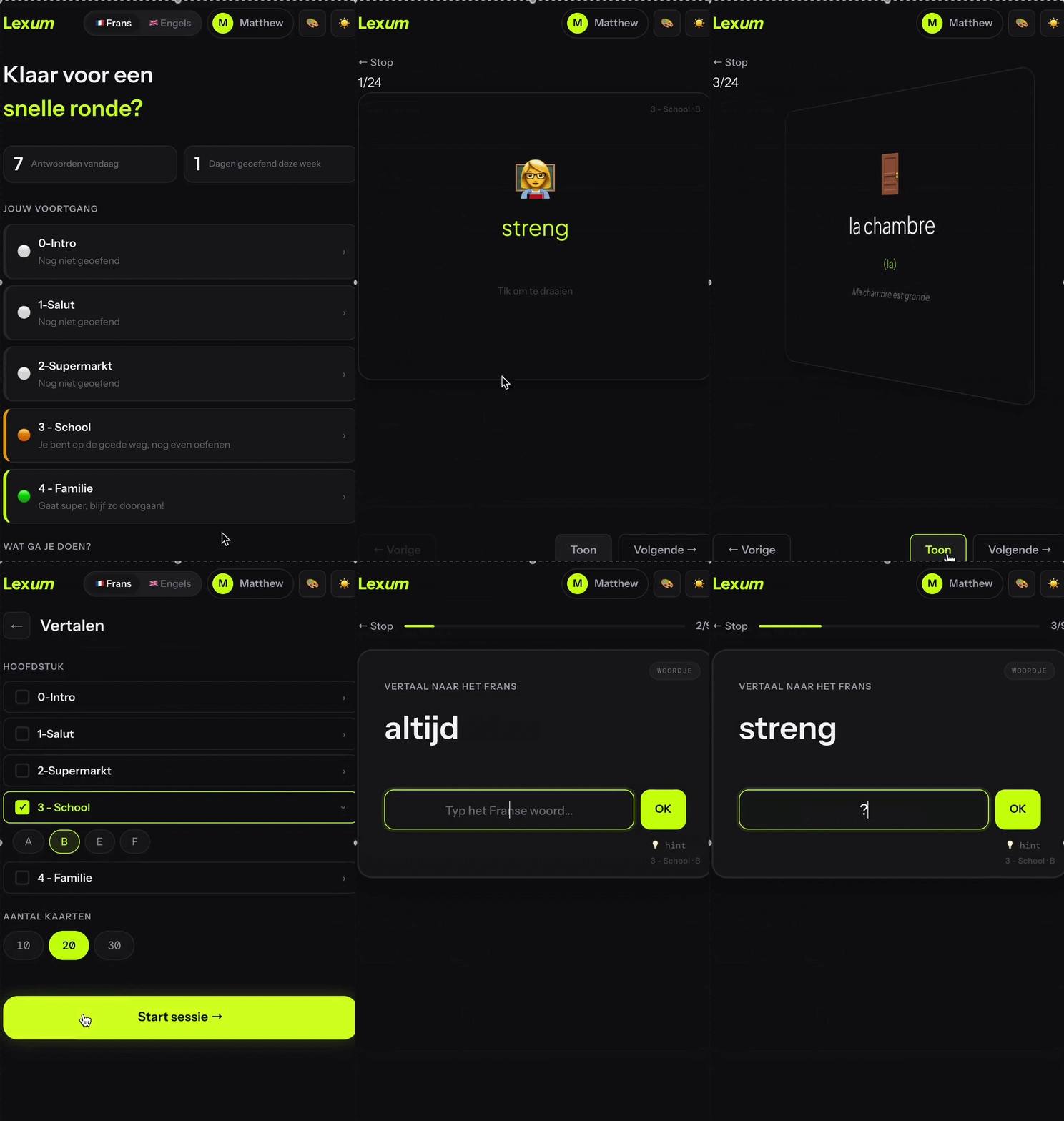
Woordenschattrainer op maat met spaced repetition, gebouwd voor mijn zoon. De woordenlijsten worden beheerd via Google Sheets — jij bepaalt de content. Custom vocabulary trainer with spaced repetition, built for my son. Word lists are managed via Google Sheets — you control the content.
Over dit project About this project
Lexum ontstond thuis. Mijn zoon moest Frans leren voor school, en de beschikbare apps sloten niet aan op wat hij nodig had. Dus bouwde ik er één.
Een woordenschattrainer met flashcards en spaced repetition — simpel in gebruik, maar flexibel in content. De slimste keuze zat ergens anders: de woordenlijsten worden beheerd via een Google Spreadsheet. Als ouder bepaal je zelf wat erin staat — geen database om te beheren, geen admin-interface om te bouwen. Gewoon de lijst aanpassen, en de app volgt.
Om die spreadsheet te vullen stuurde ik een foto van een bladzijde uit het schoolboek naar AI. De woordenlijst was gevuld.
Dat voelde ergens absurd. Maar ook gewoon logisch.
Na Frans is ook Engels toegevoegd — de Google Sheets-structuur maakt het eenvoudig om nieuwe talen te pluggen zonder de app zelf aan te passen.
Lexum came out of a concrete problem at home. My son needed to learn French for school, and the available apps didn't match what he actually needed. So I built one.
A vocabulary trainer with flashcards and spaced repetition — simple to use, but flexible in content. The smartest choice was elsewhere: word lists are managed via a Google Spreadsheet. As a parent you decide what's in it — no database to manage, no admin interface to build. Just update the list, and the app follows.
To fill the spreadsheet, I sent a photo of a school book page to AI. The word list was done.
That felt somehow absurd. But also just logical.
After French, English was added — the Google Sheets structure makes it easy to plug in new languages without touching the app itself.
Wat goed werkte What worked well
De Google Sheets-aanpak was verrassend elegant voor een ouder die snel nieuwe woorden wil toevoegen. En de visuele taal — scherper, helderder dan Glim — paste beter bij een kind dat moet leren.
The Google Sheets approach was surprisingly elegant for a parent who wants to add words quickly. And the visual language — sharper, clearer than Glim — suited a child who needs to learn.